
Production 3D Printing Service
The handoff from prototype to repeat run
What changes, what stays the same, and what production actually requires that prototyping didn't.
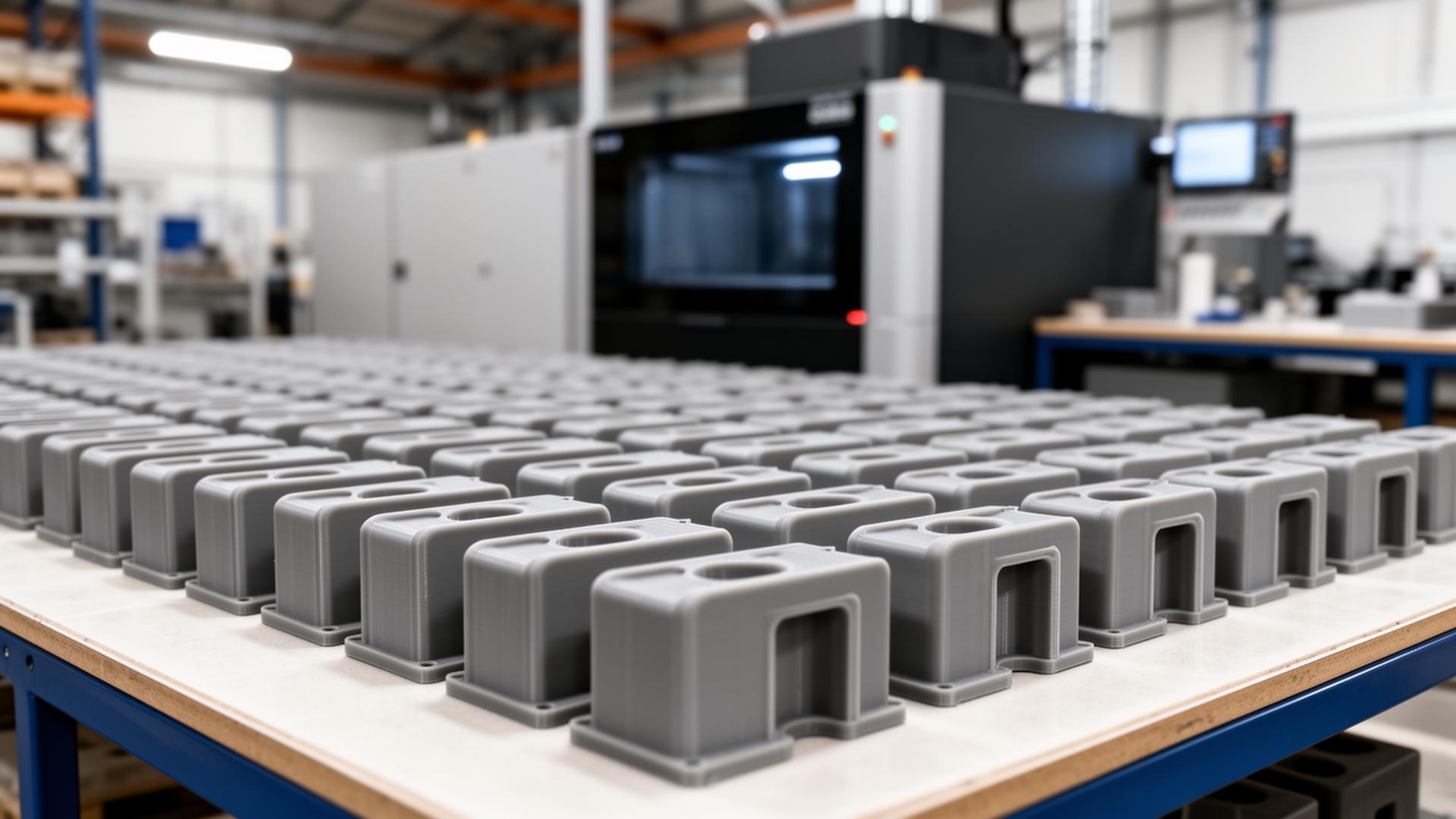
Most of what's written about production 3D printing is a marketing pitch for why additive should replace molding. That decision is its own article. This one is for the engineer or manufacturing buyer whose prototype just got approved, and now needs to figure out how to run it as a real repeating production part — what changes, what stays the same, and what the production phase actually requires that the prototype phase didn't.
What "production" changes about the conversation
A prototype run is forgiving. You're testing fit, function, and design intent. If a part comes back a few hundredths off, you iterate the CAD and try again. The lead time can flex. The cost per part doesn't compound — you're paying once.
Production is different. The same part will run every month, every batch needs to match the last batch, and a single off-spec lot can stop a downstream assembly line. The questions you ask the print service stop being "can you make this?" and start being:
- Will batch #12 match batch #1?
- What happens if I revise the CAD between runs?
- What's the rejection rate and who eats it?
- How fast can you turn a repeat order?
- Who confirms dimensional spec before parts ship?
This article walks through each of those, specifically for SLS PA12 nylon — the workhorse for production additive in this size and complexity range. For the broader "when should I even use additive" decision, see our custom 3D printing service guide.
Qualification: the one-time work that makes the rest of production easy

Qualification is the bridge between "we proved the part works" and "we trust this part every time it ships." The classic phases:
First-article inspection (FAI)
The first production run gets full dimensional measurement against the drawing. Every called-out tolerance is verified. If anything's out of spec, it's a design or process change before any subsequent batches go.
Process documentation
Lock down the recipe: material lot, machine settings, build orientation, post-processing steps, finishing protocol. Anyone running future batches uses the same recipe. For SLS specifically, this includes the powder refresh ratio (virgin to recycled powder mix), which directly affects mechanical properties.
Critical dimensions list
Decide which dimensions matter enough to measure on every batch (not every part — that gets expensive). Usually 3–8 critical dimensions per part, sampled at agreed-on frequencies. Document the measurement method (calipers, CMM, optical comparator).
Acceptance criteria
What constitutes a passing batch? An Acceptable Quality Level (AQL) framework defines how many samples to measure and what failure rate triggers rejection. AQL 2.5 is a common default for non-safety-critical parts.
Doing this work once unlocks everything downstream. Skip it and every batch is its own debate. The how-it-works page walks the standard order flow if you want to see the touch-points where qualification data attaches.
Batch-to-batch consistency: what actually varies in SLS PA12
The good news about SLS PA12: it's one of the most repeatable additive processes in commercial use. The honest news: it still varies.
The things that drift over batches:
- Powder refresh ratio. SLS reuses unsintered powder from one build into the next, mixed with virgin powder. Higher refresh ratios (more virgin) give better mechanical properties; lower ratios save material cost but degrade over time. A locked refresh ratio in your process doc keeps this consistent.
- Build orientation. PA12 is more isotropic than FDM but not perfectly so — Z-direction strength is ~10% lower than X/Y. If your part has a critical stress axis, the orientation needs to be locked across batches.
- Position in the build chamber. Parts at the chamber edges sometimes show slightly different cooling characteristics than parts in the center. For tight-tolerance work, specifying chamber position matters.
- Thermal history. Time spent in the heated chamber affects PA12's crystalline structure. Big builds with long cooldowns produce slightly different parts than small fast builds. Usually doesn't matter, but for fatigue-critical parts it can.
What doesn't vary much: appearance, surface finish, color (within a dye lot), bulk strength.
A good production partner documents these variables in your process doc and flags any change. Without that, you're trusting that they remember what was right last time.
Change control: revising the CAD mid-production
Real production CAD is never frozen forever. Customers find issues, you find improvements, sometimes a material grade changes. The question is how to handle revisions cleanly:
Revision marking
Every production part gets a small embossed rev number somewhere non-critical. When a batch arrives, you can sort by revision visually. Cheap insurance.
Hold the old revision
When you push a new rev, the print service should keep the previous revision available for emergency reorders. If a customer needs spare parts for an older product, you don't want to have rebuilt the CAD from memory.
FAI on every rev change
Treat each revision like a new first-article. The same dimensional measurement that qualified rev A applies to rev B; don't skip it because "it's just a small change."
Document the why
Every rev change in your internal docs should note why it changed (customer complaint, design improvement, material change). Future you will be grateful.
PartGuys' Smart File Library handles version tracking automatically — each upload is stored against your account by version. The discipline part — what to inspect, what to emboss, what to hold — is on you.
Reorder mechanics: making repeat runs as fast as the first
For ongoing production, reorder speed matters as much as initial lead time. The first order has friction (quote, configure, send drawing, approve). Reorders shouldn't.
What separates a clean reorder from a friction-filled one:
Unambiguous file versioning
The reorder pulls the exact file you used last time, not an older version. A versioned file library makes this trivial.
All non-file specs persist
Material, finishing, quantity, queue, shipping address — all default to last order. You change what you need to change; the rest carries over.
Stable pricing
A reorder shouldn't return a wildly different number from last month unless your part or quantity changed.
Lead time matches
Standard reorder of an already-printed part should hit the standard queue, not get re-routed.
If reorders involve uploading the file again, re-entering material, or waiting for a custom quote, that adds friction every cycle. Over a year of monthly reorders, that's hours of wasted procurement time.
Production tolerances vs prototype tolerances
A common mistake: assume the tolerances that worked for prototypes will work for production. Often they don't.
Prototypes might pass a fit check at ±0.5 mm because you only printed one and it happened to land in the middle of the tolerance band. Production runs over time will hit both ends of the band. If your assembly only works at the tight end, you'll get intermittent failures that look random.
For production SLS PA12, plan around a ±0.2–0.3 mm tolerance band on individual dimensions, or ±0.3% of dimension on features over 100 mm. Anything tighter requires either:
- Post-machining — print oversize, machine the critical features. Common for bores that need to mate with bearings.
- Tighter sampling and rejection — accept higher scrap rates to ship only parts in a narrower band.
- A different process entirely — if your part needs sub-0.1 mm features, additive isn't the answer for those features.
The cheapest path is usually to redesign critical interfaces to accept the SLS tolerance band — generous chamfers, captured features instead of press-fits, threaded inserts instead of printed threads. Our design guidelines article covers the geometry rules in depth.
Capacity and lead-time planning
For ongoing production, predictable capacity matters. Two patterns work:
Batch on demand
You forecast demand monthly, order one batch per month. Simple, no inventory carrying cost, but exposed to lead-time variance.
Standing schedule
You commit to a monthly recurring batch with the service. They pre-allocate machine time, you get priority slot and predictable delivery. Usually requires a forecasted volume commitment but gets you better economics and reliability.
Lead times for production SLS PA12 at PartGuys: standard 5 business days (Economy queue), 3 business days (Priority, 1.25×), 1 business day (Rush, 2.2×, orders of $50 or more). Orders placed before 2:00 PM ET start the same day; shipping time is on top. For repeat batches above ~50 units, custom dates are quoted on the order screen rather than the default queue dates.
When to consider bringing production in-house
A question every successful additive customer eventually asks: at what scale does an in-house printer make sense?
The rough math, for SLS PA12 specifically:
- An industrial SLS printer runs $80k–$300k capital cost depending on build volume and brand.
- Annual operating cost (powder, electricity, maintenance, operator time) is $30k–$80k.
- If you're spending more than ~$60k/year on outsourced SLS production AND you have engineering staff comfortable running a printer, the math starts working.
Below that, outsourcing wins on capital efficiency and zero operator overhead. Most companies stay outsourced indefinitely — even mid-six-figure additive budgets — because the operational complexity of running a printer in-house rarely pays back versus paying a service that does it 24/7. For a deeper cost breakdown of what an outsourced part actually includes, see our cost breakdown article.
When the partner-network path applies
For most production SLS PA12 work, in-house printing covers it. The exception: PA12-GF (glass-filled nylon). Glass-filled PA12 is stiffer and more heat-resistant than standard PA12 but requires different machine settings. PartGuys routes glass-filled jobs through partner-network printing — quoted separately, longer lead time, clearly flagged on the order.
If your part needs glass-filled performance, plan for that path up front: get the partner-network quote, lock the spec, and treat it as a separate production line from your standard PA12 work.
Operational items that matter for procurement
For ongoing production buying, the procurement-side features make or break the relationship:
- NET-30 payment terms with PO acceptance
- Tax exemption on file — submit resale certificate once
- Team accounts with approval workflows for orders above a threshold
- Your shipping account so freight stays under your contract
- Versioned file library so reorders are unambiguous
- NDAs on file — signed coverage applied to every order automatically
- Order history with downloadable invoices and shipment tracking
All of these exist in PartGuys' account flow. The presence of all of them is a reliable signal that a service is built for repeat B2B production buyers, not one-off prototype customers.
Starting a production qualification
If you're moving a prototype to production, the practical first move:
- Run a single Economy-queue batch of 10–25 units of the current revision.
- Measure every critical dimension on the first 5 units; spot-check the rest.
- Confirm fit/function in the final assembly with those parts.
- Lock the revision and process doc.
From there, standard reorders run against that locked spec.
PartGuys' instant pricer handles the upload-and-quote part. The qualification work — measurement, fit checks, process doc — is on your engineering side, but it's a one-time investment that turns every subsequent batch into a routine reorder. If you don't have CAD yet for the part you want to put into production, our design service can build a print-ready file from a sketch, photo, or physical sample.
Frequently asked questions
What counts as a production 3D printing run?
Anything that repeats. A single batch is a prototype; a part you'll order again next month, with the same spec, is production. The distinction matters because production requires locked process documentation and acceptance criteria — prototypes don't.
How consistent is SLS PA12 batch-to-batch?
Very consistent for appearance and bulk strength, slightly variable for tight dimensions. Powder refresh ratio, build orientation, and chamber position all drift unless locked in a process doc. Expect ±0.2–0.3 mm on individual dimensions or ±0.3% over 100 mm.
Do reorders re-quote at the same price?
Yes, when the file, material, finishing, and quantity match the previous order. Pricing only moves if part geometry, quantity, or queue changes.
Can you hold older revisions for spare parts?
Yes. Every uploaded file is versioned against your account, and older revisions stay available for reorders even after a newer revision is in active production.
Is PA12-GF (glass-filled nylon) available for production?
Yes, through partner-network printing. It's quoted separately from in-house PA12, lead times are longer, and the path is clearly labeled on the order. Plan for it up front if your part needs the added stiffness or heat resistance.
When does in-house printing make more sense than outsourcing?
Rough rule for SLS PA12: above roughly $60k/year in outsourced spend AND with engineering staff comfortable running a printer, the capital math starts to work. Below that, outsourcing wins on capital efficiency and zero operator overhead.
Related reading
- Custom 3D Printing Service — how it works, what it costs, when to use it.
- Design Guidelines for 3D Printing — wall thickness, tolerances, and printability rules.
- 3D Printing Cost Breakdown — what you're really paying for.
- How to Print from an STL File — a working engineer's guide.
Ready to run a production batch?
Upload your file for instant SLS PA12 pricing across Economy, Priority, and Rush queues.
Get a production quoteHave a Topic Suggestion?
We're always looking for new article ideas. Let us know what you'd like to learn about!